


.jpg_1759869177.3989_9564518c87_fullsize.webp)
.jpg_1758051740.5057_0ad83a0b80_fullsize.webp)

Published Jun 15, 2026
304.394K
Brevo Marketing Automation: Workflows, Triggers & Pricing
TopForLess may earn a commission when you buy through our links, at no extra cost to you.
Meet Mara. She sells hand-poured soy candles out of a converted garage in Ohio, mostly through Shopify, and her entire marketing system is a sticky note on her monitor that says EMAIL PEOPLE. Underlined twice.
It doesn't work, obviously. New subscribers wait days for a hello. Carts full of lavender candles get abandoned, and nobody says a word.
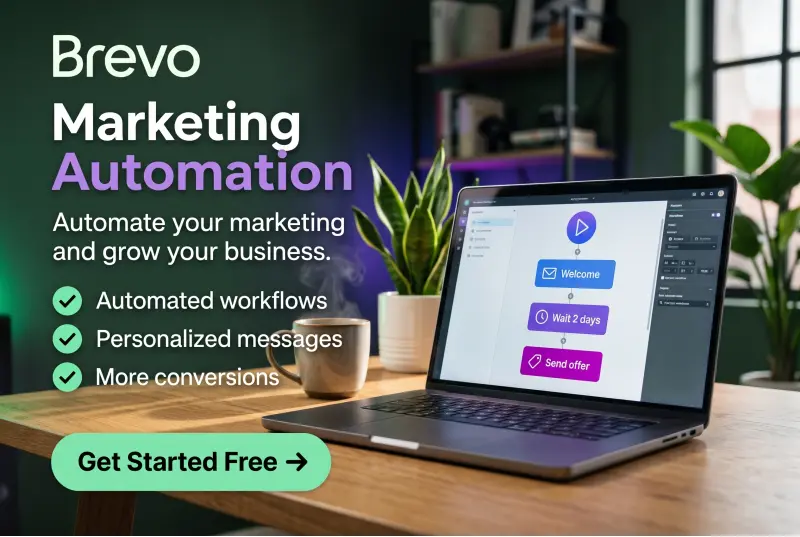
Mara is made up, but you probably know her. Maybe you are her. This is the mess Brevo marketing automation is meant to clean up. You write a follow-up once, and Brevo sends it every time someone does the thing it was waiting for.
We'll use Mara's shop as a running example while we go through how a Brevo automation workflow is built, which ready-made flows actually earn their keep, what each plan allows, and how to get your first one live. Here mostly for discounts? Head straight to the TopForLess Brevo store page.
What Brevo marketing automation does
Strip away the buzzwords, and it's a pile of "when this, then that" rules. When Mara gets a new subscriber, send the welcome email. When someone leaves a cart, wait three hours and remind them.
Brevo marketing automation does the waiting, the checking, and the sending. A rule can fire off one email, or a whole drip campaign that plays out over weeks without anybody pressing a button.
A little background. Brevo is what Sendinblue became after its 2023 rebrand. It's based in Paris and bundles email, SMS, chat, and a CRM. Our Brevo Email Marketing Review 2026: Is It Worth It for Small Businesses? the newsletter side, so here we're sticking to the marketing automation features.
How the Brevo workflow builder works
Everything gets built in the workflow editor, which is basically a tall, skinny flowchart. Entry point at the top, steps stacked underneath, little arrows in between.
Triggers
Nothing happens until a trigger fires and drops a contact into the flow. The Brevo automation triggers small shops lean on most are list signups and form submissions, changes to a contact's details, email opens and clicks, visits to particular pages, orders and abandoned carts. There are date-based ones too. For Mara, that means a birthday saved on a customer's profile can start a flow that morning without her lifting a finger.
Conditions, delays and splits
Delays are the step people underrate, in our opinion. A two-day pause between emails doesn't sound like a feature. It is, though. Skip it, and your carefully written sequence lands all at once, like three flyers jammed under the same windshield wiper.
Conditions are the "it depends" part. Did she open the last email? Has he ever ordered? Yes goes one way, no goes the other. And when you can't make up your mind (15% off, or free shipping?), Brevo's multi-branch testing splits contacts by percentage and lets the results settle the argument.
Actions across email, SMS and WhatsApp
Email is where almost everyone starts, and Brevo email automation is included on every plan. You're not stuck with one channel, though, because the canvas is multichannel. An SMS can go out when an email sits unopened for a day, or a task can pop up in the CRM so somebody calls a hot lead.
You'll see WhatsApp steps as well. Small catch. Brevo's help center lists WhatsApp credits only for the Professional and Enterprise plans, while SMS is available on all of them.
Ready-made automation templates
Could you build every flow from scratch? Sure. Should you? Brevo has pre-built templates for the usual suspects, and I'd bet most Brevo automations running today started life as one of these four.
Welcome series
New subscribers are never more interested in you than in the first day or two. A welcome series makes that count. For Mara, email one delivers the 10% code she promised in her popup, right away. Email two, a couple of days later, tells the garage story (people love a garage story). Email three lands around day five, shows off her bestsellers and asks for that first order.
Keep the first one short. Really short. Nobody wants an essay from a candle shop.
Abandoned cart
If you run ecommerce, start here. Once Shopify or WooCommerce is connected, Brevo notices when a shopper bails on a full cart and can send a Brevo abandoned cart email listing the exact items they left.
Send it within a few hours, while they still remember why they wanted that cedar-and-smoke candle. One follow-up the next day, maybe with free shipping, is plenty. Chase an abandoned cart for a week and you mostly collect unsubscribes.
Birthday and anniversary emails
These run off a date saved on each contact, so you set them up once and forget they exist. A birthday discount. A "one year since your first order" thank-you. The catch is boring. You have to collect birthdays on your signup form; otherwise, there's nothing for the flow to work with.
Re-engagement
Every list has a graveyard section. A re-engagement flow looks for people who haven't opened or clicked in roughly 90 days and asks whether they still want your emails, maybe with an offer attached. No bite? Let them go.
Writing all this copy is the genuinely hard part. Brevo has a built-in AI helper called Aura AI, and if you also want help with visuals, we've written about Pippit, an AI creative agent for marketing content.
Lead scoring and web tracking
Templates react to the obvious stuff. Signups, purchases. This part is about the quieter signals.
Add Brevo's web tracking snippet (a bit of JavaScript, or a plugin if you're on WordPress or Shopify) and it starts logging which pages known contacts visit. Layer event tracking on top and your site can report custom actions too, like "added gift wrap" or "started free trial."
Contact scoring is where it gets fun. Brevo scores people on engagement, purchases, and behavior, with models such as Recency, Frequency, Monetary. A click or an order bumps the number up. Weeks of silence drag it down. Once someone crosses a threshold, a workflow can ping sales or send a better offer.
All of that feeds segmentation. Mara could build a group like "viewed the holiday collection twice, score above 50, never bought" and send those folks something specific instead of blasting everyone. Availability varies by plan, so check Brevo's comparison before you rely on any of this.
Which Brevo plan includes marketing automation
This part surprises people. Every plan, even Free, lets you build automations. What really separates the plans is how many contacts can pass through them. Brevo also bills its marketing platform by monthly email volume rather than list size.
These prices come from Brevo's help center at the time of writing (November 2026).
- Free costs $0. You get 300 emails a day, storage for 100,000 contacts, no credit card requirement, and up to 2,000 unique contacts can enter your active automations.
- Starter begins at $9/month. The daily cap is gone, and tiers start at 5,000 emails a month, but the 2,000-contact automation limit sticks around.
- Standard begins at $18/month and drops that limit. On the Standard plan, Brevo marketing automation is uncapped, and you also get A/B testing, landing pages, and optional extra seats.
- Professional begins at $499/month and is meant for big senders.
- Enterprise is priced case by case.
Annual billing saves 10%. Prices vary by region and currency, since Brevo shows them in your local money, so check the Brevo pricing page before paying.
How to set up your first automation in Brevo
Quick Brevo automation tutorial time. We'll build Mara's welcome flow, since it's the one nearly everybody starts with.
- Create a free account and sort out your sender. Confirm your email, then add and authenticate your sending domain. It's dull, but it keeps you out of spam folders.
- Set up a list and a signup form. Mara calls hers "Candle Club." Build a form, or connect your site's plugin, so new subscribers land there automatically.
- Write the emails first. Draft the Brevo welcome email and one or two follow-ups in the drag-and-drop editor.
- Open Automations and pick how to start. Use the welcome template or a blank workflow, then set the entry trigger to "contact added to list" and point it at your new list.
- Stack the steps. Email one goes right away, then a two-day delay, then a condition checking whether email one got opened. Openers get email two, and non-openers can get a reworded version.
- Test it with your own address. Run yourself through the Brevo automation workflow and check the links, images, name fields, and mobile view.
- Switch it on, then give it a week before you judge it. The per-step stats will show you which email needs work.
Pros and cons of Brevo automation
What we like. Automation on the Free plan is genuinely generous, and plenty of competitors won't give you that. Pricing tied to email volume means a big, sleepy list doesn't drain your wallet. You can mix email, SMS, CRM tasks, and contact updates in a single flow, and transactional email (API, SMTP relay) comes with every plan for things like order confirmations.
What we don't. The 2,000-contact cap on Free and Starter shows up faster than you'd think. WhatsApp sits behind the top plans, and SMS is pay-per-message. Going from Standard at $18 to Professional at $499 is steep. Like, really steep. Some advanced reporting and AI features are also saved for the higher tiers.
For what it's worth, users seem to like it overall. Capterra shows a 4.6 out of 5 rating from more than 3,500 reviews at the time of writing. Just know that the contact cap is where most Brevo automations run into trouble first.
How to save on Brevo
Start on Free and stay there until the 300-a-day or 2,000-contact limit actually gets in your way. When you do upgrade, think twice about yearly billing. You save 10%, but yearly plans can't be paused, and that matters if your business has a slow season. (Mara's July sales are, let's say, modest.)
Pick the email tier you'll really use, not the one you hope to grow into. Lower tiers also cap stored contacts, and crossing that line bumps you up automatically. And don't buy SMS or WhatsApp credits until a campaign needs them.
One last tip is to check TopForLess before you pay, and this week it's especially worth doing. For Black Friday, Brevo is taking 30% off new annual Starter and Standard plans (10,000 to 350,000 emails a month) with the code BREVOFRIDAY2026. The countdown on brevo.com runs out around November 30, 2026. The code and any newer offers are on the TopForLess Brevo page.

FAQ
Can you use Brevo's automation features for free?
You can. The catch is that only 2,000 unique contacts can enter your active automations on the Free plan. Brevo marketing automation without that cap starts on the Standard plan.
Can Brevo send automated SMS and WhatsApp messages?
SMS works on every plan through prepaid credits, priced by country. WhatsApp is another story, since Brevo's help center lists those credits only for Professional and Enterprise.
Does Brevo's automation connect to Shopify and WooCommerce?
Yes, along with WordPress and a long list of other platforms. That lets Brevo email automation react to orders, product views, and abandoned carts in your store.
Affiliate Disclosure: This article contains affiliate links to the Brevo website. If you click on these links and choose to register or make a purchase, we may earn a referral commission. This commission comes at no additional cost to you and supports the ongoing research and publication of high-quality e-commerce and lifestyle content. All opinions and recommendations remain strictly our own. Prices and promotions were listed on iHerb in late October 2026 and may change. This article is for informational purposes only and is not medical advice. Statements about supplements have not been evaluated by the FDA.