



.jpg_1759869177.3989_9564518c87_fullsize.webp)
.jpg_1758051740.5057_0ad83a0b80_fullsize.webp)


Published Jun 26, 2026
7.050K
How to Sell Tickets on Viagogo: The Complete Guide for Sellers in 2026
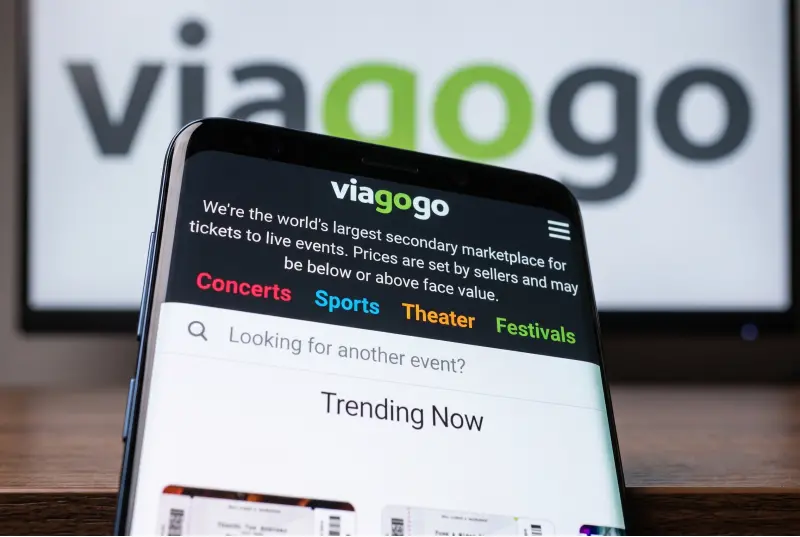
Whether you've bought tickets to a show you can no longer attend, discovered you have duplicates, or you're a professional reseller managing a large inventory, Viagogo provides one of the world's most extensive platforms for reaching ticket buyers globally. With more than 160 countries covered and millions of active buyers, listing here gives you access to a truly international audience.
Selling on Viagogo is straightforward, but it requires strict attention to detail. Errors in listing information or misunderstanding delivery requirements can lead to cancelled orders, withheld payments, or heavy financial penalties.
Before You List: What You Need to Know
Viagogo is an open marketplace for both casual sellers and professional brokers. Before creating your listing, ensure you have the following ready:
- Complete Ticket Details: Event name, exact date, venue, section, row, and seat numbers.
- Ticket Format: E-ticket (PDF), mobile transfer, barcode, or physical paper.
- A Guarantee Card: A valid credit or debit card must be kept on file. Viagogo requires this as security; if you fail to deliver valid tickets after a sale, they will charge this card to cover the buyer's replacement costs.
- Tax & Identity Info: Due to global regulations (like DAC7 in Europe and strict HMRC/IRS rules), you may be required to provide your Tax Identification Number (TIN) or upload an ID once you cross local sales thresholds.
Step 1: Go to "Sell Tickets"
Visit Viagogo and click "Sell Tickets" in the top menu. Enter the name of the artist, team, or performer.
Critical Check: Ensure you select the exact date, time, and venue matching your tickets. Listing under the wrong date is a common mistake that will result in an invalidated sale and a penalty fee. If you are a new user, you will be prompted to create an account using a verified email address and phone number.
Step 2: Enter Your Ticket Details
Accuracy at this stage protects you from future disputes. You will need to specify how many tickets you have, whether they must be sold together or can be split, and their exact seating location.
| How It Works | Important Safety Rule | |
| E-Ticket (PDF) | You upload the original digital PDF file directly to Viagogo. | If one PDF contains 4 tickets but you only want to sell 2, Viagogo's tool lets you select the specific pages to split. |
| Mobile Transfer | You transfer the tickets directly through the primary app (e.g., Ticketmaster) to the buyer's email. | Do not take screenshots. Many modern mobile tickets use rotating barcodes for security; a screenshot will not scan at the gate. |
| Physical/Paper | You ship the actual paper tickets to the buyer via a tracked courier service. | Viagogo will provide a prepaid shipping label in your account once the sale goes through. |
Step 3: Set Your Price
Sellers have full control over their pricing. In most open markets, there are no caps, though you should check local jurisdiction laws as some regions limit resale markups. Viagogo will show you two suggested price points based on live market data: one optimized for a rapid sale, and one to maximize profit.
- Keep in Mind: Buyers see an all-in price that includes Viagogo's buyer fees. If you price your ticket right at the competitive edge, remember that the buyer will see a 15% to 30% markup at checkout.
- The Payout View: Viagogo will show you your Estimated Payout (your price minus the 10–15% seller commission) before you finalize the listing.
Step 4: Set Up Your Payment & Tax Details
Navigate to your account Settings > Payment to add your bank routing and account numbers for a direct deposit. If you are selling in the EU, UK, or US, look for the Tax Information tab. Filling this out early prevents Viagogo from putting an administrative hold on your funds later.
Step 5: Confirm and Go Live
Review the summary screen to ensure everything matches your physical or digital tickets exactly. Once you confirm, your listing is live. You can edit the price or delete the listing at any time before a buyer purchases the tickets.
Step 6: After Your Tickets Sell
When a buyer purchases your tickets, you will receive an immediate email notification detailing your strict delivery deadline.
Warning: If you fail to upload or transfer the tickets within the specified window, Viagogo reserves the right to cancel the transaction and charge your guarantee card for the cost of sourcing replacement tickets for the stranded buyer.
- For PDF/E-tickets: Upload the file directly to your dashboard.
- For Mobile Transfer: Open your primary ticketing app (e.g., Ticketmaster, AXS), hit transfer, and input the unique buyer email address provided by Viagogo. Once done, go back to Viagogo and click "Confirm Transfer."
Step 7: Getting Paid
Viagogo releases seller payments 5 to 8 business days after the event takes place. This post-event escrow model is designed to protect buyers from fraud. It ensures the buyer successfully entered the venue without issue before your funds are unlocked. Viagogo's 10–15% seller commission is automatically deducted from this payout.
Frequently Asked Questions for Sellers on Viagogo
Can I sell tickets that I haven't physically received yet?
Yes. If the primary ticketing company is implementing a delivery delay, you can still list them. However, you must specify the date you expect to receive them during the listing process so the buyer is aware of the timeline.
What happens if I cannot fulfill a sale?
If you list a ticket, sell it, and then realize you can't deliver it, you will face steep financial penalties. Viagogo will charge you the difference in price required to purchase an equivalent or better seat for the buyer to fulfill their Buyer Guarantee.
Can I cancel my listing if I change my mind?
If the tickets have not been bought yet, yes—you can delete your listing instantly. If a buyer has already committed and paid, the sale is legally binding and cannot be cancelled without penalties.
Conclusion: Is It Worth It?
For individual fans trying to recover costs on a spare ticket or professional resellers looking for global scale, Viagogo is an incredibly powerful marketplace. It removes the stress of collecting payments securely and provides massive international exposure.
As long as you are meticulous with your seat descriptions, adhere strictly to your delivery deadlines, and fill out your tax profiles upfront, selling on Viagogo is a highly efficient process.
Affiliate Disclosure: This article contains affiliate links to the Viagogo platform. If you click on these links and choose to register or make a purchase, we may earn a referral commission. This commission comes at no additional cost to you and supports the ongoing research and publication of high-quality e-commerce and lifestyle content. All opinions and recommendations remain strictly our own.